-
ScanSnap
- Software Downloads
- FAQ
- Manuals
- Accessories
- Sample Document
- Certificates
- fi Series
- SP Series
Archived content
NOTE: this is an archived page and the content is likely to be out of date.
ScanSnap Receipt for Mac Update (V1.5L41)
Target Scanner Models
ScanSnap iX500 / iX100 / S1300i / S1100i / SV600
Target Operating Systems
- macOS Sierra v10.12.1 or later
- OS X El Capitan v10.11
- OS X Yosemite v10.10
- OS X Mavericks v10.9 (Recommended v10.9.5 or later)
- OS X Mountain Lion v10.8 (Recommended v10.8.5 or later)
- Mac OS X Lion v10.7 (Recommended v10.7.5 or later)
* For details of supported Operating Systems, refer to Supported Operating Systems.
Modifications
Changes from V1.5L40 to V1.5L41- macOS Sierra is now supported.
- Minor errors have been modified.
For the software update history, see  Readme.
Installation Instructions
Use ScanSnap Online Update to install the update.
Note:
Try manual update if the Online Update does not work.
Download ScanSnap Online Update from the download webpage and install it if not already installed.
Online Update
- Select [Applications] in the Finder sidebar > [ScanSnap Online Update] > [Online Update].
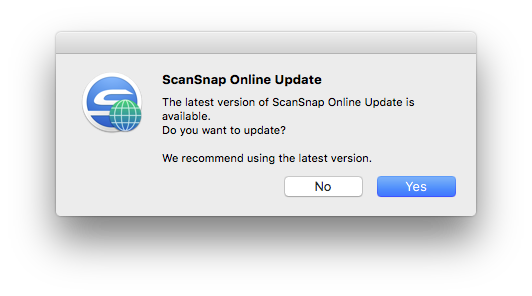
- The ScanSnap Online Update automatically checks the latest update.

- Follow the instructions on the screen to install the update.
- Confirm if the version of the ScanSnap Receipt for Mac reads “V1.5L41”, referring to the descriptions in How to confirm if the update is successfully completed.
How to confirm if the update is successfully completed
Confirm that the installed/updated version of ScanSnap Receipt for Mac is displayed on the version information.
- Select [ScanSnap Receipt] > [About ScanSnap Receipt]
- The version information can be found at the red-framed part.

Manual Update
- Log into Mac as a user with administrator privileges.
- Quit any other applications that are running on the computer. Do not perform scanning during update.
- When a certain version of ScanSnap Receipt for Mac is installed, you will have to install earlier update files prior to the latest update. Confirm the version currently installed on the computer by the procedure written in How to confirm if the update is successfully completed to find necessary files.
The following describes the update file available for each version of ScanSnap Receipt for Mac. Install the update files required for the version of your ScanSnap Receipt for Mac.
1. For ScanSnap Receipt for Mac V1.5L20 or earlier
[ScanSnap Receipt for Mac Update (V1.5L40)]
 MacScanSnapReceiptV15L40UpWW.dmg (383.7MB)
When installation is complete, install 2.
2. Version of ScanSnap Receipt for Mac is V1.5L40
[ScanSnap Receipt for Mac Update (V1.5L41)]
MacScanSnapReceiptV15L41UpWW.dmg (1.1MB) - Execute the downloaded “xxxx.dmg” to extract the installation package.
Execute the extracted "xxxxx.pkg". Select [Open] when the message "xxxxx is an application downloaded from the Internet. Are you sure you want to open it?" appears during installation. - Confirm the version reads "V1.5L41" with the method written at How to confirm if the update is successfully completed.
Now that you have completed the update, please refer to the Readme file prior to use.

Contact Us

Where to Buy
 Find a local reseller.

What's new
- Software
- FAQ