


Activating Tungsten Power PDF for Mac v5
Activate Tungsten Power PDF for Mac v5 in the following procedure.
ATTENTION
To complete the activation process, you need to have access to the Internet.
-
Start up Tungsten Power PDF for Mac v5.
Click the [Tungsten Power PDF for Mac] icon in the application list that appears when you click [Apps] in the Dock.
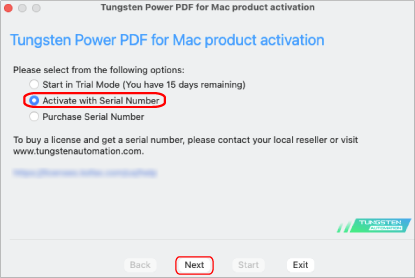
The [Tungsten Power PDF for Mac product activation] window appears.
-
Select [Activate with Serial Number] and click the [Next] button.
-
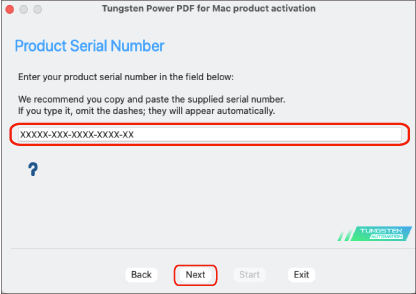
Enter the serial number that is on the license certificate of the Tungsten Power PDF Standard/Tungsten Power PDF for Mac and click the [Next] button.
The activation process is complete.