Archived content
NOTE: this is an archived page and the content is likely to be out of date.
Cover Open
If you open the ADF during a scan, the LED indicator and the [Power] button on the operator panel operate as follows:
| The LED indicator lights up
The [Power] button lights up |
Check that the ADF is completely closed.
To check whether or not it is closed completely, perform the following:
- Remove all documents from the ADF paper chute (feeder).
- Open the ADF.
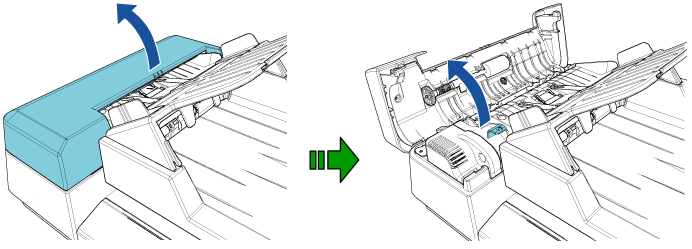
 CAUTION:
Be careful not to have your fingers caught when the ADF closes. - Close the ADF.
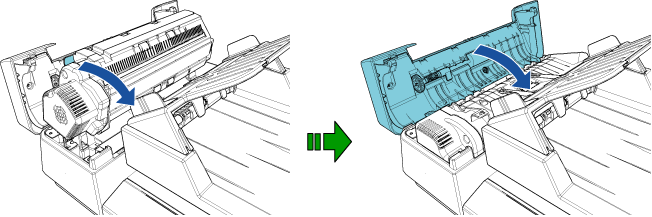
CAUTION:Be careful not to have your fingers caught when the ADF closes.
Important: Make sure that there is no foreign matter inside before closing the ADF.