
Rack2-Filer V5.0 Update Pack 1
Update Pack Download
Rack2-Filer V5.0 Update

Modifications
The following changes have been made in Rack2-Filer V5.0 Update Pack 1:
- The product activation prompt appears in some computer environments at program startup, even after activation has already been performed.
Note: This problem happens on computers which run on a virtual network adapter. The MAC address of a virtual network adapter varies each time the program starts up. - An application error occurs when scanning data with the TWAIN driver, importing scanned data into a new binder, scanning additional data, saving data, and exiting the Rack2-Filer.
Note: This error occurs for every scanning operation explained above. - Key text blocks are created over again depending on the page layout.
- Pages do not flip smoothly with some pointing devices.
- Problems when Rack2-Filer is installed with some types of file encryption software.
- Some other minor problems.
Please refer to README of Rack2-Filer V5.0 Update Pack 1 for detail information.
Operating Procedures
- Download Rack2V50UP1.exe from an environment in which allows the access to the Internet.
- Select [Save] when a dialog box that prompts for file processing method appears.
* Make a note of where you save Rack2V50UP1.exe (desktop is recommended). - Log on to Windows with the User Name (with administrator privileges) that has been used when the old version of Rack2-Filer was installed.
- Execute thedownloaded "Rack2V50UP1.exe" to begin installation.
Note: In some cases, a message which requests the user to restart the system may appear. In this case, restart the system accordingly. - The Installer is activated and the following message appears. Click the [Next] button to continue.
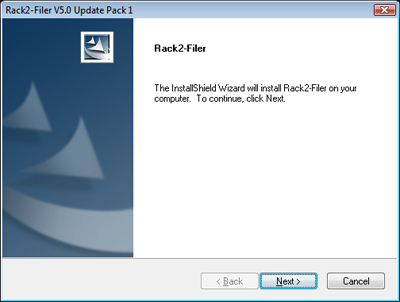
- Follow the instructions in the InstallShield Wizard to proceed with the installation.
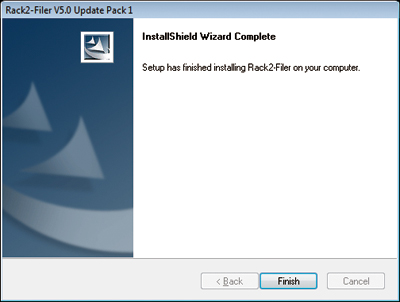
- The "InstallShield Wizard Complete" window appears after installation of Rack2-Filer V5.0 Update Pack 1 is complete.